
Recover lost facebook messages

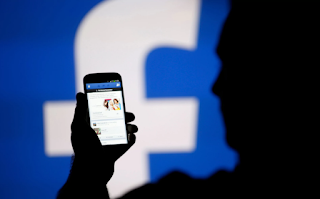


Can we recover deleted Facebook messages from Android device?
Recover deleted Facebook messages
Facebook Messenger follows the principle called, off the internet. Off the internet, means there is another copy of the same messages in your phone memory. Hence, messages you thought were gone, are actually still there on your phone. So it is feasible to recover deleted Facebook messages within several simple steps easily.
Here is how you can recover your deleted Facebook Messages:
Download any file explorer for Android. This app will help you explore the folders on your SD card. I suggest using ES explorer, it is one of the best.
Recover deleted Facebook messages
Facebook Messenger follows the principle called, off the internet. Off the internet, means there is another copy of the same messages in your phone memory. Hence, messages you thought were gone, are actually still there on your phone. So it is feasible to recover deleted Facebook messages within several simple steps easily.
Here is how you can recover your deleted Facebook Messages:
Download any file explorer for Android. This app will help you explore the folders on your SD card. I suggest using ES explorer, it is one of the best.
Open the ES File Explorer App. First, go to the storage/SD card. There you will find the Android folder, which holds all the data related applications.
Enter the folder and tap on Data folder.
Under Data you will find the folders related to all applications. You will find "com.facebook.orca" folder, which belongs to Facebook Messenger. Just tap on that.
Now tap on the Cache folder, under which you fill find the "fb_temp". It has all the backup files related which are saved automatically by the Facebook messenger.This make sure that we can recover facebook messages on our phone.
Another way to find the same files is accessing your phone memory from computer. Just connect your phone to your computer using USB. Follow the same procedure and access the fb_temp folder.
Enter the folder and tap on Data folder.
Under Data you will find the folders related to all applications. You will find "com.facebook.orca" folder, which belongs to Facebook Messenger. Just tap on that.
Now tap on the Cache folder, under which you fill find the "fb_temp". It has all the backup files related which are saved automatically by the Facebook messenger.This make sure that we can recover facebook messages on our phone.
Another way to find the same files is accessing your phone memory from computer. Just connect your phone to your computer using USB. Follow the same procedure and access the fb_temp folder.